
To know more about Fanet, Flarm/ADS-L and Livetracking, check this FAQ…
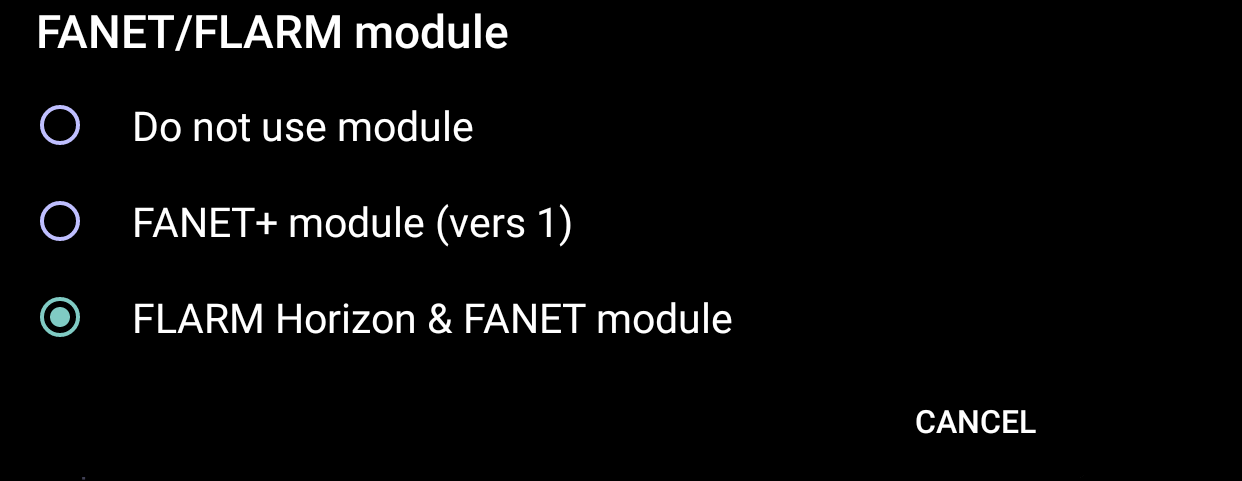
AIR³ 7.3+ or AIR³ 7.35+ has an integrated Fanet, Flarm and ADS-L module. To enable it for flying, you can either enable it with XCTrack, or with XC Guide.
WARNING: the module should be activated ONLY with XC Guide or with XCTrack. NOT both. The easy way is to enable it in XCTrack. In this case, make sure that it is not activated in XC Guide if you are using XC Guide in parallel.
You could also activate the module in XC Guide and then have XC Guide transmit the information to XCTrack through TCP, but this requires more complex settings.
So, to activate the module:
Check the FANET+ logo in the status line. 
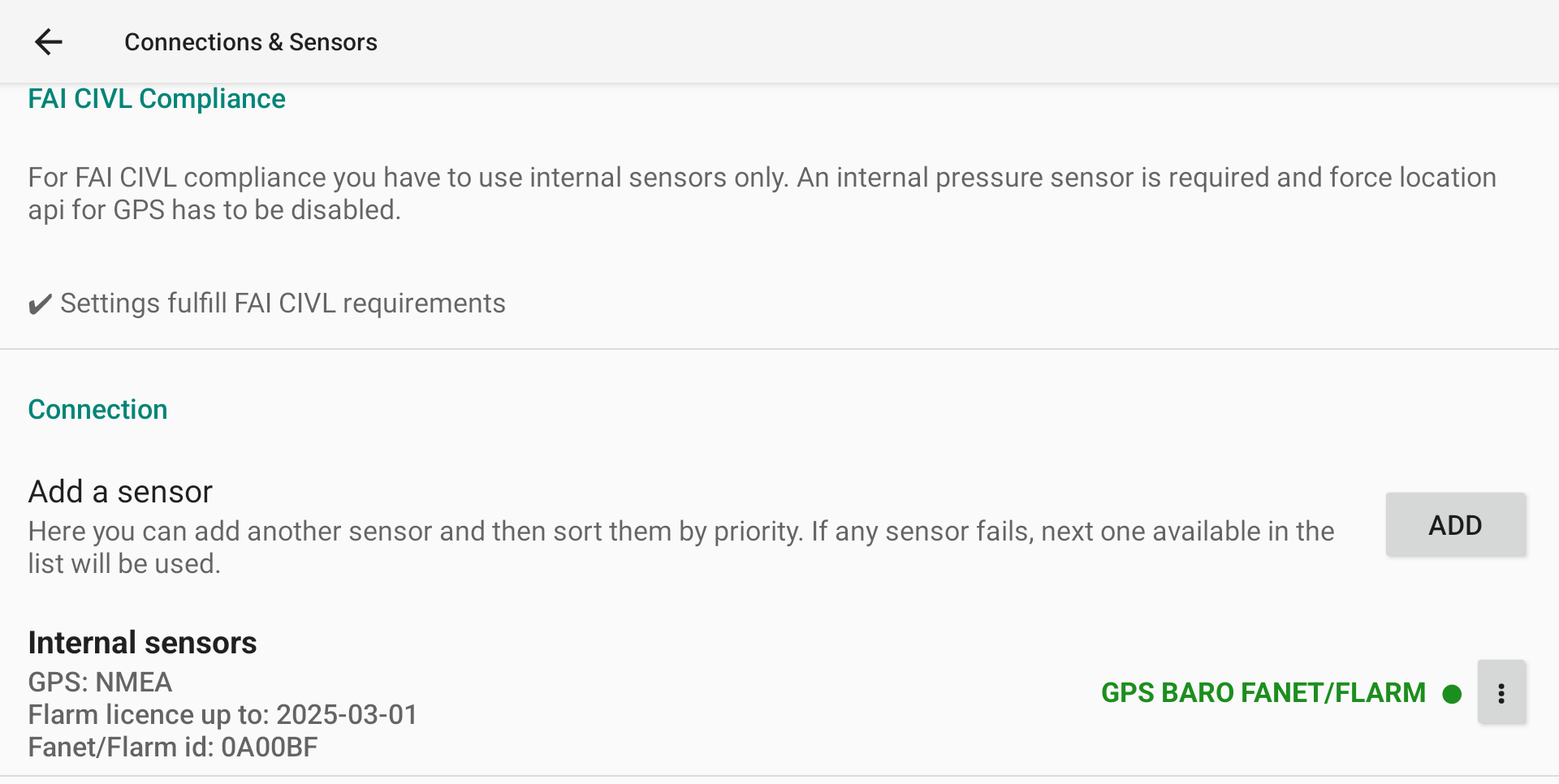
Once the module is enabled, a new line appears with the validity of the Flarm licence as well as the Fanet/Flarm/ADS-L ID. Check how to freely upgrade the FLARM licence through XC Guide in the XC Guide specific AIR³ features page.
FANET, FLARM and ADS-L ID are sent every second. The pilot name (Menu/Preferences/Pilot/Username is sent every minut. The type of aircraft (Menu/Preferences/Aircraft/FAI class) is sent together with the other data communicated through the module.
Note that a GPS fix is required to work properly. Fanet, Flarm and ADS-L data are sent once the pilot is considered as flying.
If you want to test the module without flying, check this FAQ.
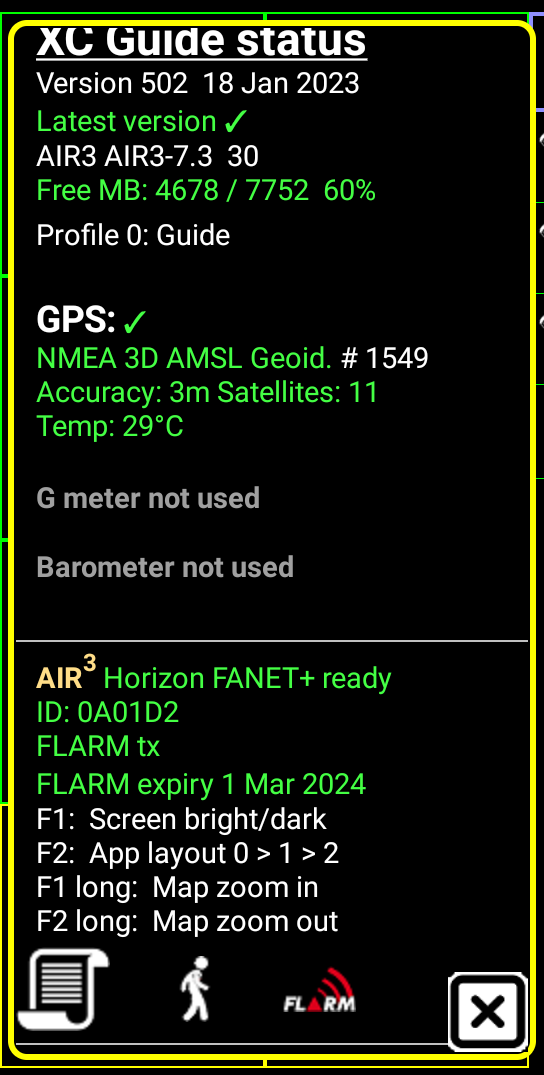
At any time, you can check if the FANET, FLARM and ADS-L module is enabled by looking into the info window.
FANET, FLARM and ADS-L ID are sent every second. The pilot name (Settings/Connected devices/FANET & FLARM settings/Your name on FANET) is sent every minut. The type of aircraft ( Settings/Connected devices/FANET & FLARM settings/Your aircraft type) is sent together with the other data communicated through the module.
Note that a GPS fix is required to work properly. Flarm data are sent once the pilot is considered as flying.
If you want to test the module without flying, check this FAQ.
WARNING!
Flarm licence has to be upgraded every year for free.
Read more details about XC Guide specific AIR³ features here.